Usage
Weekly activity
Visualize how your time is spread across the selected week.
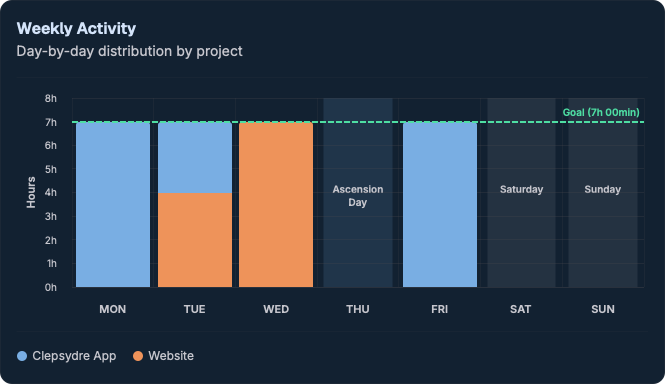
The Weekly Activity section shows how your logged time is spread across the week of the selected day, as a bar chart.
Reading the chart
- One bar per day, Monday to Sunday.
- Each bar's height is proportional to the time logged that day.
- The selected day is highlighted.
- A tooltip shows details (date and duration) when hovering a bar.
Goal reference
A reference line marks your daily work target, making it easy to compare each day against the expected goal at a glance.
Link with the calendar
The displayed week always matches the week of the day selected in the calendar. Select another day to change the analyzed week.