Usage
Monthly tops
Identify your most time-consuming projects and tickets.
The Tops section ranks your projects and tickets by time logged over the displayed month, to quickly identify where your time goes.
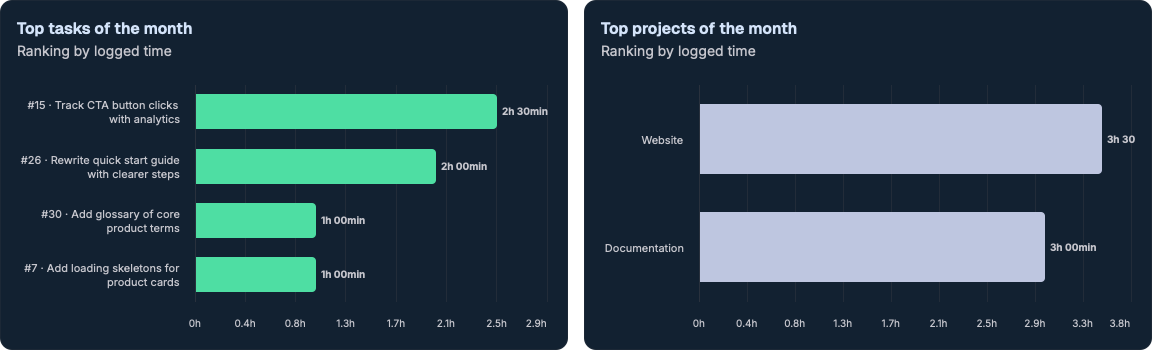
Top tickets
Ranking of tickets by cumulative time over the month. Each row shows:
- the ticket #ID and subject;
- the total time logged;
- the corresponding share.
Top projects
Ranking of projects by cumulative time over the month. Each row shows:
- the project name;
- the total time logged;
- the share it represents for the month.
Use cases
Tops are useful to:
- spot "time-sink" tickets that need to be split;
- check the balance across projects;
- prepare a monthly report.
Tops are based on the month displayed in the calendar. Switch months to update the rankings.