Usage
History
Search, filter, sort, and manage all your Redmine time entries.
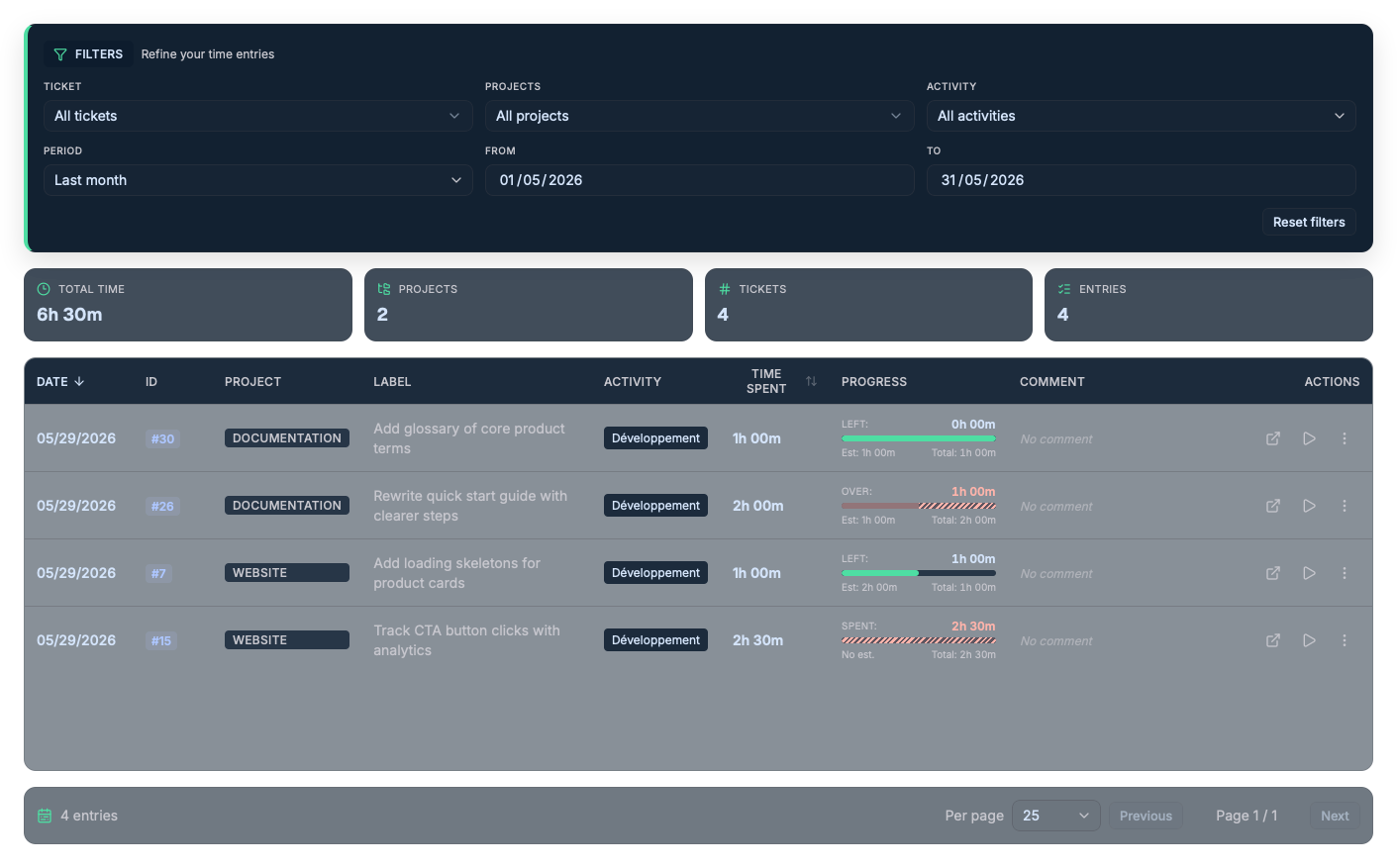
The History screen is a table view of all your Redmine time entries. Use it to find, analyze, and fix your logs over a given period.
Filters
The filter bar lets you refine the results. On open, history shows the current month.
| Filter | Description |
|---|---|
| Ticket | Find a ticket by #ID or subject (autocomplete). |
| Project | Multi-select of projects (with search). |
| Activity | Filter by Redmine activity type. |
| Date preset | Presets: today, this week, last week, this month, last month, this year, or custom. |
| From / To | Custom start and end dates (automatically switches to "custom" mode). |
The Reset filters button restores the default view (current month, no filter).
Summary indicators
Four cards summarize the filtered entries:
- Total time;
- Number of distinct projects;
- Number of distinct tickets;
- Number of entries.
Entries table
Each row shows the date, the #ID, the project, the ticket, the activity, the duration, the progress against the estimate, and the comment.
- The Date and Duration columns are sortable (ascending / descending).
- An entry logged onto another ticket shows the note "Logged on #ID · Project".
- The automatic comment prefix (cross-ticket logging) is hidden for readability.
Actions on an entry
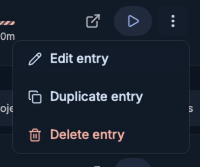
For each row, the available actions are:
- Open in Redmine;
- Start timer on that ticket;
- Edit entry (only for entries saved on Redmine);
- Duplicate entry;
- Delete entry (with confirmation).
Pagination
The bottom of the screen shows the total count of entries and lets you choose the number of items per page (10, 25, 50, 100) as well as navigate between pages.